Stop Using Custom Product Pages to Track Your UGC Creators
Apple Custom Product Pages were built for A/B testing, not creator tracking. Here's why the workaround is costing you creators and data.
I talk to a lot of app developers. And there's one conversation I keep having that I want to address properly.
It goes something like this: "We've got 15 creators posting about our app. We set up Custom Product Pages for each one in App Store Connect. Attribution is handled." They say it with confidence. Misplaced confidence.
Here's what actually happens. They spend a week creating pages, waiting on Apple's approval queue, and finally get everything live. Then they pull up the analytics and realize they've got impressions and downloads. That's it. No revenue. No retention. No per-user data.
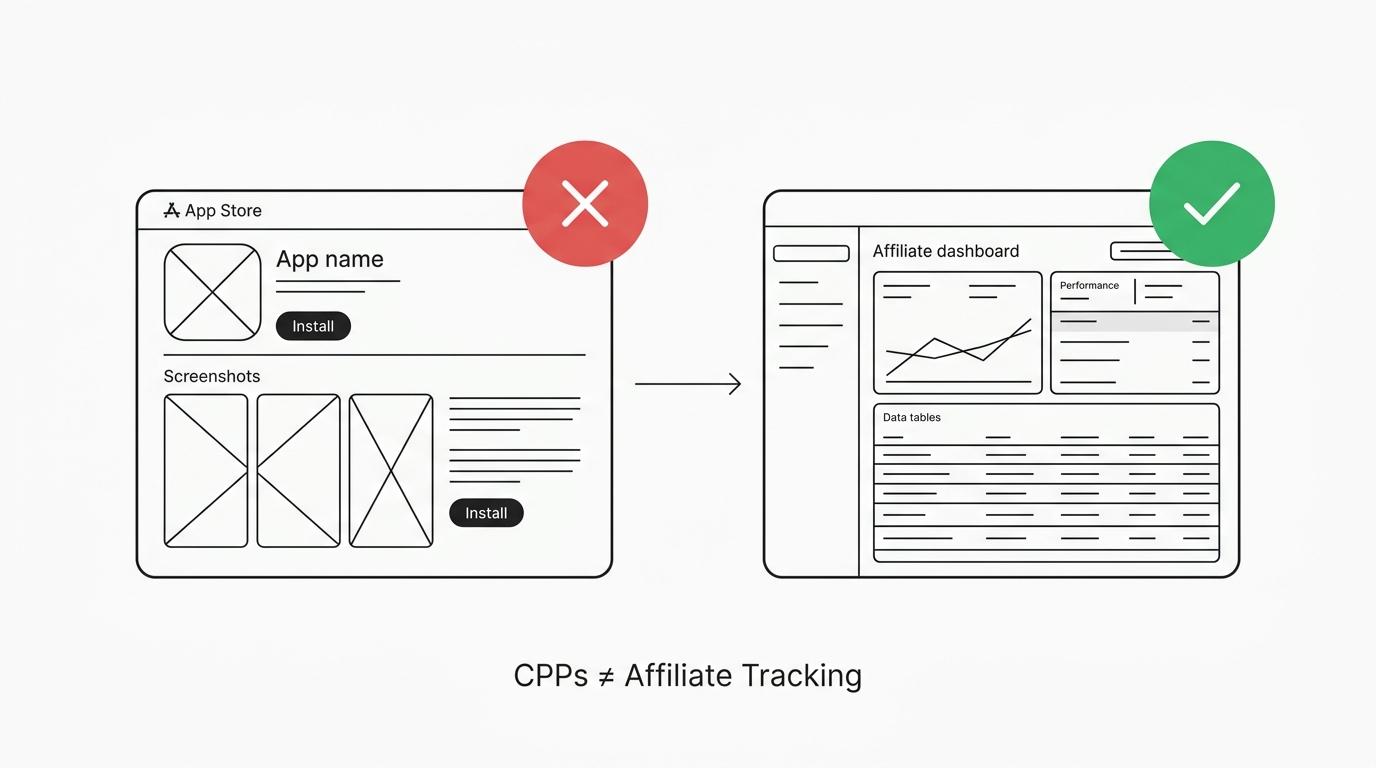
CPPs are a good tool. But they were built for A/B testing screenshots and preview videos for different audiences. They were never meant to be a creator tracking system. Developers have duct-taped them into something they weren't designed for, and it breaks down quickly.
The approval bottleneck
Something nobody warns you about: every Custom Product Page goes through App Review. Every single one.
Want to onboard a new creator who's ready to post tomorrow? Create a CPP, submit it, wait 24-48 hours. If Apple rejects it because of a screenshot issue, resubmit and wait again. Meanwhile your creator is asking where their link is.
Now do that for 5 creators in the same week. Five submissions. Five review cycles. Five chances for a delay.
A proper attribution setup looks different. Creator signs up, gets a link in 30 seconds, starts posting. One of these scales. The other doesn't.
You get 35 pages. Total.
Apple caps you at 35 Custom Product Pages. That's not per campaign or per quarter. That's 35 total for your app.
Quick math: ten creators, each promoting on TikTok, Instagram, and YouTube. That's 30 pages. You've got 5 left. Creator number eleven wants to join and you're out of slots.
Most developers hit the 35 limit within two or three months. Then they start reusing pages across creators, which defeats the entire purpose of per-creator tracking. The data stops being clean and the system stops being useful.
The data problem
You're missing about 70% of your actual users. App Store Connect analytics only include data from users who have opted in to share analytics with Apple. Most don't. So when a CPP shows a creator drove 50 downloads, the real number could be significantly higher. You're making budget decisions based on incomplete data with no way to know how incomplete it is. Everything is delayed by 1-2 days. Your creator posts a TikTok at 3pm Tuesday that takes off. She asks how many installs she drove. You log into App Store Connect and there's nothing there yet. The data won't show up until Wednesday or Thursday. By then the moment is gone — she's moved on to promoting something else.For A/B testing screenshots, a 2-day delay is fine. For running a creator program where you need real-time feedback loops, it's a dealbreaker.
And then there's what App Store Connect doesn't give you at all: revenue attribution. You can see that a CPP drove downloads, but you can't see which of those users paid for a subscription, how much revenue they generated, or whether they're still active a month later. We covered how to actually measure UGC ROI in more detail, but the short version is: without per-user revenue data, you're guessing at which creators are actually profitable.
The practical result is you end up paying the same flat rate to every creator regardless of the actual value their audience brings. A creator whose installs never convert gets the same budget as one whose users have 3x the lifetime value. CPPs don't surface this difference.
Your creators can't see their performance
This is the part that quietly kills creator programs. Every other platform creators work with — Amazon affiliates, Shopify partnerships, sponsorship networks — gives them a dashboard. Real-time clicks, conversions, earnings. They expect it.
With CPPs, they see nothing. You have to pull data from App Store Connect, put it in a spreadsheet, and email each creator individually. With 5 creators it's manageable. With 20 it's a recurring time sink.
Creators leave when they don't have visibility into their own numbers. A CreatorIQ study found that 67% of creators drop partnerships that don't provide performance data. If your competitor has a real-time dashboard and you're sending spreadsheet screenshots over email, your best creators will promote the competitor.
It doesn't exist on Android
Custom Product Pages are iOS only. Google Play has no equivalent.
If your app is on both platforms, you're tracking roughly half your installs with CPPs. For Android you're back to UTM parameters that don't work for apps and spreadsheets — two completely different tracking systems that don't connect to each other.
What the setup should look like
The question you're trying to answer is straightforward: which creator is generating revenue?
To answer it you need unlimited tracking links — one per creator per platform, created instantly with no approval process. You need real-time install attribution so creators see results within seconds, not days. You need revenue attribution that connects installs to purchases — not "Creator X drove 200 installs" but "Creator X drove 200 installs that generated $4,800 in subscription revenue."
You need a creator dashboard so creators can monitor their own performance. The feedback loop matters — when creators see results in real time, they post more. And you need it to work cross-platform, iOS and Android, from one system.
Tools like Appfiliate exist for this — two lines of SDK code, per-creator links, automatic revenue tracking through RevenueCat or Stripe webhooks, and a creator dashboard. The reason developers default to CPPs is that they're free and already in App Store Connect. But the cost shows up in lost data and lost creators.
Why the math matters
Say you're spending $5K a month across 10 creators at $500 each. With CPPs, you can see that Creator A drove 300 installs and Creator B drove 150. The obvious move is to invest more in Creator A.
With actual revenue tracking, you'd find that Creator A's 300 installs generated $450 in subscription revenue — poor conversion. Creator B's 150 installs generated $2,100. Her audience is 7x more valuable per install.
You'd never see this from CPP data. In every creator program I've looked at, there's at least a 3-5x gap between the best and worst performers when you measure revenue instead of installs. CPPs hide that gap entirely.
Move on from CPPs
If you're using Custom Product Pages to track creators, the tool has served its purpose but you've outgrown it. It works with 3 creators when revenue data isn't a priority. It doesn't work when you're trying to build a real program.
Set up proper attribution. Give your creators a dashboard. Track revenue. And stop waiting two days for data that should be available immediately. Here's how to set up an affiliate program for your app properly.
---
Ready to stop duct-taping CPPs together? Appfiliate gives you per-creator links, real-time revenue attribution, and a creator dashboard — two lines of code, no IDFA. Get started free.