How to Track Which Influencer Drove Your App Installs
Influencer campaigns drive app downloads, but most teams can't tell which creator actually drove which install. Here's how to fix that with per-creator attribution.
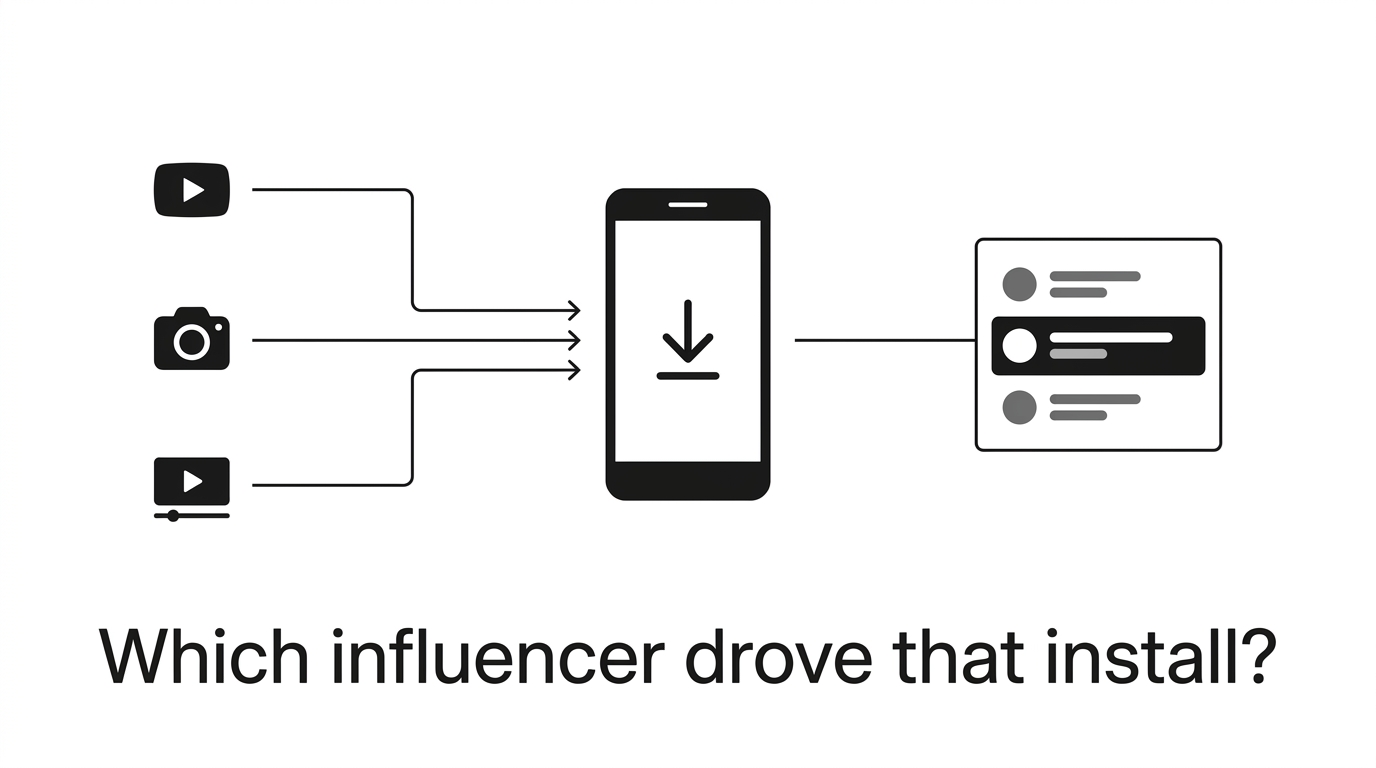
You know the pain. You launch an influencer campaign. Ten creators post about your app. You see some installs. But when your co-founder asks you “which creator drove those installs?” you throw your hands up and show them a graph that kinda went up and to the right. You don’t know what worked. Or why. Or what to do more of. You don’t know anything. Here’s why. Social platforms and app stores are different platforms. A creator posts a TikTok. A user watches the TikTok. Taps the link. Gets routed through the App Store. Installs the app. Opens the app. At that point, there is no record of the journey. The browser session and app session don’t talk to each other. There is no cookie. No referral header. No nothing. It’s not just a little measurement problem. In a 2025 Aspire survey, only 28% of marketers said they could confidently attribute app installs to specific pieces of creator content. That means 72% of marketer’s can’t attribute app installs. That means most of the money you spend on creator content to drive app installs is measured with install lift numbers. You’re spending a ton of money, and measuring with a ruler from 1000 yards away.
Why don't UTM parameters work for app install tracking?
UTM tracking is easy. Any web marketer knows how to tag a link, and pass the parameters to Google Analytics to understand which creator drove that click. But when the click turns into an app install, that data is lost. When a user clicks on a link with the parameter utm_source=creator_sarah, the link takes them to the App Store or Google Play, and that’s where the data ends. Neither the App Store or Google Play passes those parameters to the app, so when the user installs the app, the app has no idea which creator sent them. Some companies try and work around this by sending users to a webpage first, which does read the UTM, and then immediately redirecting them to the app store. But that pageview only records which creator sent them to the page, not which creator sent them to the store, and then you’re just adding an extra step to the process. On Android, you can pass some custom data through the Google Play store using the Install Referrer API, but only if you’re using a specific tracking link that uses that API (that link in a YouTube description isn’t going to do it). And on iOS, there’s no such API at all. UTMs are a web tool, and app installs aren’t a web problem.
How do per-creator tracking links solve this?
Luckily, the solution is simple: provide each creator with a special link that connects the dots between the click and the install.
Here’s how it works:
- The creator receives a unique link: e.g., yourapp.appfiliate.io/hdwud1
- They add the link to their bio, video description, or story
- Someone clicks on the link
- The click is logged, including the creator ID and other device data
- The user is redirected to the App Store or Google Play Store
- They download and launch your app
- The attribution SDK running in your app identifies the matching creator ID the first time it launches
The secret sauce is that the link and the SDK talk to each other. The link knows about the click. The SDK, integrated into your app, knows about the install. An algorithm ties them together. On Android, this is achieved deterministically via the Google Install Referrer API. On iOS, it leverages privacy-preserving methods that don’t rely on IDFA or fire the ATT prompt. We dive into the details of both in our post on attribution without IDFA.
How does attribution work differently on Android vs iOS?
This is important, and not enough articles discuss it.
Android is deterministic. When someone clicks a tracking link and installs from Google Play, the referrer data gets passed directly through the Play Store to your app on first launch. Your attribution SDK reads it and matches the install to the specific creator link. No guessing, no probabilistic matching. According to Google's 2025 Play Store documentation, referrer data is preserved for up to 90 days after the click, which covers even the longest click-to-install flows. In practice, Android attribution rates for click-to-install flows are 85-90% and good enough to run a program. iOS is probabilistic. Apple does not have a referral mechanism like Google does. With ATT opt-in rates sitting at ~18% according to Adjust's 2025 Global App Trends report, IDFA is a dead letter for this use case. Modern iOS attribution relies on a set of "privacy-friendly signals," data you can access without any special permission or tracking prompt, to match clicks to installs. No ATT dialog. No IDFA.Is iOS attribution perfect? No. Some installs will be unattributable, such as users on VPNs, users who wait days between clicking and installing, users on shared networks. But you go from "we have no idea which creator did what" to "Creator B drives 4x the paying users of Creator A." That alone changes every decision you make about your influencer program.
What metrics can you track with per-creator attribution?
With attribution, the data you get on each creator is actually actionable: Clicks. How many people tapped the creator’s link. Tells you about reach and audience engagement with the call-to-action. Installs. How many of those clicks converted to actual app installs. The click-to-install rate varies wildly by creator, as a 2025 Sensor Tower benchmark found that influencer-driven click-to-install rates range from 8% to 35% depending on content quality and audience relevance. A creator with a 30% conversion rate on 1,000 clicks is far more valuable than one with an 8% rate on 5,000 clicks. Revenue. The big one. How much money did this creator’s referred users actually generate? If you’re running a subscription app and you’ve connected your payment platform via webhook integrations, such as RevenueCat, Stripe, Superwall, Adapty, you can see exactly how much revenue each creator has driven, including renewals. Retention. Are this creator’s users still using the app after 7 days? 30 days? Sensor Tower’s 2025 retention benchmarks show that referral-driven users retain at roughly 2.5x the rate of paid acquisition users in most categories. But that average masks huge variance between individual creators. Some drive users who love the app. Others drive users who uninstall within a day. Per-creator attribution lets you see the difference. Revenue per install. This is the metric that actually matters for deciding which creators to invest in. Divide attributed revenue by attributed installs and you have a clean per-creator efficiency number. It’s not unusual for your best creator to deliver 10x the revenue per install of your worst one.
How do you set up influencer install tracking?
Straight up, we created Appfiliate for this exact use case. The 3-line implementation is as follows:
// iOS (Swift) Appfiliate.configure(appId: "APP_ID", apiKey: "API_KEY") Appfiliate.trackInstall() Appfiliate.setUserId(Purchases.shared.appUserID)// Android (Kotlin) Appfiliate.configure(this, appId = "APP_ID", apiKey = "API_KEY") Appfiliate.trackInstall(this) Appfiliate.setUserId(this, Purchases.sharedInstance.appUserID)Why is real-time attribution critical for creator retention?
Here’s a nuance teams often overlook: attribution is just as much about the creator’s experience as your analytics. A creator creates a video on Monday. On Tuesday evening, they go into their analytics and see: 340 clicks, 28 installs, 6 paid users, $54 in earnings. They know that video was successful. They create another video with a similar theme on Wednesday. On Friday they see 80 installs, $140 in earnings. They keep creating. Without real time reporting? Same creator makes a video, doesn’t hear anything, maybe gets a PayPal transfer 2 weeks later with no context. Creators move on to other products they can track. A 2025 CreatorIQ study showed that Creators who had access to real time performance metrics created 67% more content on a monthly basis compared to Creators with delayed or manual reporting. Real time feedback isn’t a feature, it’s the reason your top performing creators continue to create for your application.
What should you do after 30 days of tracking data?
After 30 days of per-creator data, the decisions almost make themselves:
Double down on your top performers. Better commission rates, early access to new features, co-branded content. The creators driving high-value users are your growth engine. Treat them accordingly.
Understand which content formats convert. Same creator posts a long-form YouTube review and a 30-second TikTok. If the YouTube video drives 3x the paying users per view, you know what to ask for next. According to Tubular Labs’ 2025 content longevity data, YouTube review content generates 55% of its lifetime views after the first 30 days. TikTok content generates less than 10% after the same period. If you’re only measuring the first week, you’re dramatically undervaluing your YouTube creators.
Move to revenue share. Once you can show creators exactly how much their audience generates, the conversation changes. Revenue share aligns incentives, creators who drive paying users earn more, creators who drive empty installs earn less. The good ones will choose revenue share every time once they see the numbers. We go deeper on commission structures and how to pay influencers.
Cut what isn’t working. Some creators will drive zero paying users. That’s not a failure, it’s information. Stop paying flat fees for reach that doesn’t convert. Redirect that budget toward the creators whose audiences actually want your product.
The whole point is to stop treating influencer marketing as a black box. You wouldn’t run paid ads without knowing which campaigns convert. Don’t run influencer campaigns that way either. The technology to track which influencer drove which install exists. The teams that use it will outperform the ones guessing, not because they’re smarter, but because they’re making decisions with data instead of vibes.