How to Launch an Influencer Affiliate Program for Your Mobile App
A step-by-step guide to launching an influencer affiliate program that actually drives paying users — from choosing a platform to recruiting your first creators.
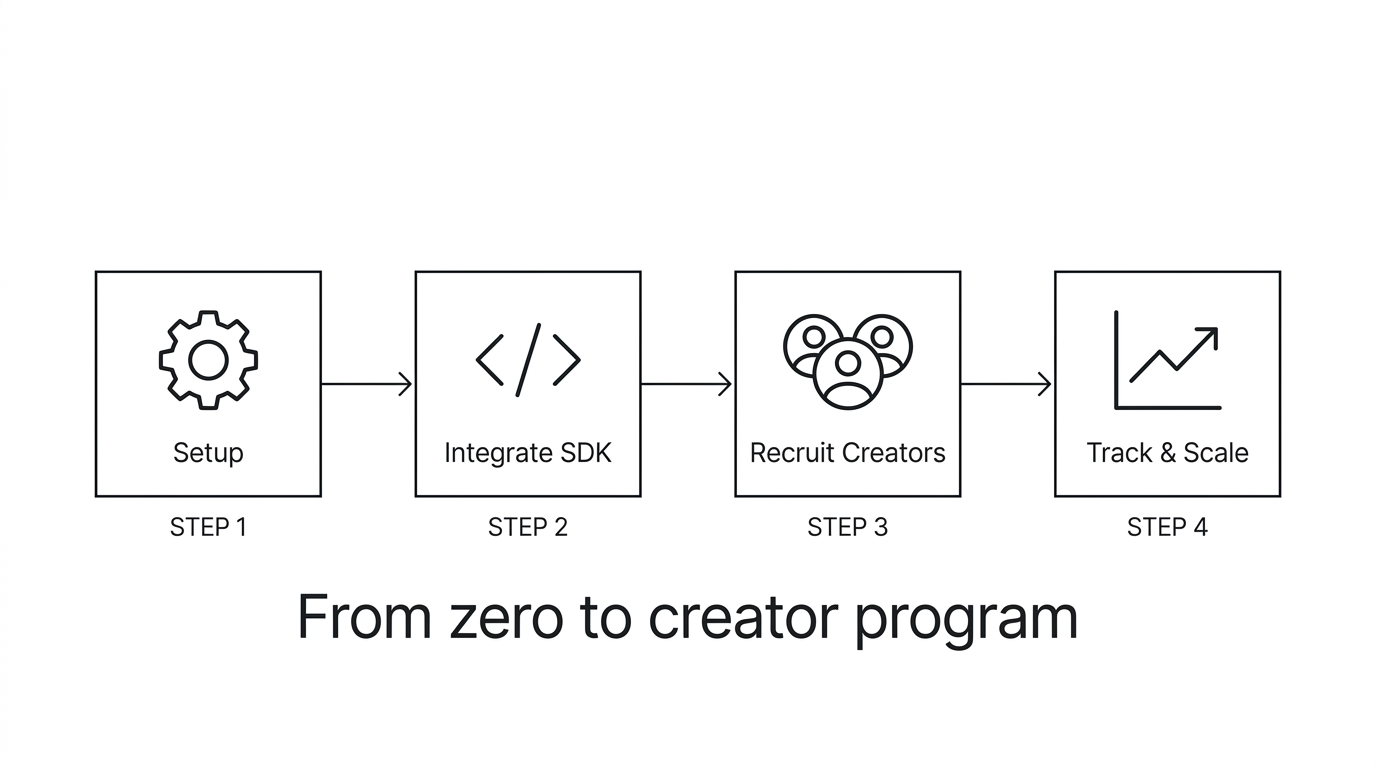
In 2025, the global spend for influencer marketing reached $40.5 billion, according to Influencer Marketing Hub’s benchmark report for that year. That total has more or less doubled every three years, and an increasingly significant portion of it is being spent on app promotion, with good reason.
A big part of the reason that timing is important is that paid acquisition costs are only going up. A study from Liftoff in 2025 found that the median cost per install was up 22% from the previous year, with the average cost for a non-gaming app install coming in at $3.80. And an AppsFlyer report from 2025 on the state of app marketing found that 68% of paid-for iOS installs resulted in users that opened the app only one time. Your cost is increasing, while the value you’re getting in return is declining.
The economics of an influencer affiliate program are reversed. You only pay for results, rather than hoping to achieve them. Users acquired through creator recommendations already know what your app does, as they just heard about it from someone they trust. Sensor Tower’s 2025 report on app retention rates showed that users acquired through referrals retained at a rate approximately 2.5 times higher than users acquired through paid channels. And that rate of retention translates into every subsequent metric, including trial-to-paid conversion rate, renewal rate, lifetime value, and on and on.
There is clearly a strong market opportunity here, and it’s only getting bigger. The question isn’t whether influencer affiliate programs can be effective for app marketers, but rather how quickly you can get your own up and running before your competition does.
What platform should you use for creator attribution?
Your affiliate program needs one basic piece of technology: per-creator attribution. If you don’t know which influencer caused which install, you can’t track commissions, you can’t share results with creators, and you can’t make informed investment decisions.
Here’s how the main options stack up:
We built Appfiliate for this use case, so take my assessment with the appropriate grain of salt. But the honest breakdown is: enterprise MMPs like AppsFlyer are overkill for creator programs unless you’re also managing significant ad spend. Branch is excellent if deep linking is a product feature for you. GoMarketMe takes a no-SDK approach that avoids code changes but relies on Apple Search Ads attribution, which limits Android coverage. We published a detailed comparison of Appfiliate, AppsFlyer, and Branch if you want the full picture.
The right platform depends on your situation. But whatever you choose, get it in place before you start recruiting creators. Having attribution from day one means you have data from day one.
How do you integrate the SDK?
Alright, the SDK. To integrate Appfiliate, you first, well, integrate. All it takes is three lines in your app’s entry point file:// iOS (Swift)
import Appfiliate
Appfiliate.configure(appId: "APP_ID", apiKey: "API_KEY")
Appfiliate.trackInstall()// Android (Kotlin)
import com.appfiliate.sdk.Appfiliate
Appfiliate.configure(this, appId = "APP_ID", apiKey = "API_KEY")
Appfiliate.trackInstall(this)// Flutter
import ‘package:appfiliate/appfiliate.dart’;
Appfiliate.configure(appId: ‘APP_ID’, apiKey: ‘API_KEY’);
await Appfiliate.trackInstall();// React Native
import { appfiliate } from ‘appfiliate-react-native’;
appfiliate.configure({ appId: ‘APP_ID’, apiKey: ‘API_KEY’ });
await appfiliate.trackInstall();trackInstall() is idempotent, so you can call it on every launch. It will only send an attribution request once per install. For revenue attribution (you’ll need this for revenue share payouts) you can add a fourth line: trackRevenue(userId, subscriptionId, revenue); You can find your appId and apiKey in your Appfiliate dashboard at app.appfiliate.io. Integration takes about 10 minutes for the average app.
Why is revenue share the right commission model for your program?
Why is revenue share the right default model, and what should you pay? Revenue share is the right default because CPI incentivizes volume at the expense of quality. Creators are incentivized to send as many downloads as possible to your app, regardless of whether those users are likely to remain engaged and pay. In practice, the users they send tend to be lower retention. We dig into all of the tradeoffs between CPI and revenue share in our post on how to pay influencers for app installs. Revenue share aligns incentives between your app and your creators. Instead of sending as many users as possible, revenue share incentivizes creators to only send users who are actually likely to use (and pay for) your app. The reviewer sending thoughtful content to a small audience will out-earn the creator blasting links out to a massive disengaged following. Your economics reward quality on autopilot. What rate should you pay? In 2025, Partnerize published a study concluding that the median revenue share rate paid out by mobile app affiliate programs is 18% of revenues generated from subscriptions. If you set your rate below this 15-18% level, you’ll find that many creators will not prioritize promoting your app because they can earn more from other apps. If you set your rate above 25%, you will unnecessarily eat into your margins. For most subscription apps, revenue share of 20% is the right rate. What should your attribution period be? You should structure your revenue share so that each creator earns commissions from their referred users for a 12 month period after the user completes the install. This window allows you to capture most of the renewal value from users, but does not leave you paying commissions indefinitely. Should you offer a CPI bonus? If you’re having trouble attracting creators because you’re unwilling or unable to offer CPI, and because your program is still so new that few creators have seen results, you could consider adding a small $1-2 CPI bonus for the first month to get the program off the ground. Once creators have started to earn meaningful revenue share payouts, you can remove the CPI bonus. Think of it as a temporary bridge rather than a permanent structure.
How do you connect subscription webhooks?
If you have a subscription management platform (most apps with in-app purchases do), you can automate revenue reporting using webhooks. You don’t need to write any other code besides the setUserId line.
In RevenueCat, go to your Dashboard > Integrations > Webhooks and insert your attribution platform’s webhook URL. Then, every purchase, renewal, trial conversion, and cancellation will be reported automatically.
In Stripe, go to your Dashboard > Developers > Webhooks and insert your webhook endpoint. Select the invoice.paid and customer.subscription.deleted events. When using Stripe, make sure to use the Stripe customer ID: Appfiliate.setUserId(stripeCustomerId).
In Superwall, Adapty, Qonversion, etc, it’s the same, find the webhooks section in their dashboard, insert the URL, and you’re done. We list all supported webhook integrations on our integrations page.
This is also how the revenue reporting loop works. The creator’s referred user purchases a subscription, the subscription platform sends a webhook, the attribution platform registers the revenue and the creator’s commission. This works for renewals, cancellations, etc as well. Once you set it up, it just works.
How do you find and recruit your first creators?
Here are some quick tips for finding your first creators:
* Start with your existing users! This is the single most important tip I can give you in this entire post. Search through your App Store reviews, social media posts, Reddit threads, support tickets, or anyone who’s already saying anything good about your app. These people are true fans. They already know your product inside and out. Their recommendations mean something because they’re authentic. In 2025, a study by CreatorIQ found that affiliate partners who had previously used a product before joining the program drove 2.7x higher conversion rates than partners who had not previously used it. You can tell. People can tell. Reach out personally. Example: “Hey I saw your tweet about [app], we’re launching a creator program, where you’d earn 20% of any subscriptions you drive. Would you be interested?” Short, simple, authentic. Not a 10-page partnership agreement. * Focus on niche, not big. Someone with 8,000 followers who does content solely around your app’s category, such as fitness, language learning, productivity, or personal finance, will drive more quality installs than someone with 200K followers who’s a “lifestyle” influencer but has no real interest in your product. According to a 2025 study by Influencer Marketing Hub, micro-influencers (10K-50K followers) deliver 3-4x higher engagement rates than macro-influencers (500K+), and their audiences convert at roughly 2x the rate for app installs. Someone with 10,000 highly engaged followers in your niche is worth more than someone with 100,000 disengaged followers in a different niche. Five people whose audience really, really needs your app will outperform fifty people whose audience has never even opened it. * Start with 5-10 people. Don’t try to sign up fifty creators in the first month. You don’t know enough yet. What type of content converts best? What messaging performs? What’s the right commission rate for your category? Start with a small enough group that you can actually pay attention to each one, and learn from each one. * Offer a simple “creator kit”. This should include: unique tracking link, one sentence description of what your app does, 2-3 bullet points of features their audience might be interested in, and what their commission rate is. That’s it. Don’t send a 12 page brand guide. Don’t dictate the wording or visuals they should use. One of the reasons creator marketing works is because the creator knows their audience better than you do.
Why is the creator dashboard a retention tool, not just a reporting tool?
The creator dashboard has traditionally been viewed as a reporting tool. It is a retention tool. Creator publishes a video on Monday. By Tuesday at 5pm they look at their dashboard: 340 clicks, 28 installs, 6 paid users, $54 earned. They know that video did well. They create another video with a similar spin on Wednesday. The feedback loop is tight and keeps them engaged. No dashboard? Same creator publishes a video and doesn’t hear anything for 2 weeks. Maybe they receive a PayPal transfer with no details. They have no idea what worked and why. They move on to promoting a product that can show them their results. A 2025 CreatorIQ study found that creators with real time performance dashboards delivered 67% more content per month for their brand partners than creators that received delayed or manual reporting. That is not marginal. That is the difference between a creator that makes your app a regular part of their content and one that mentions it once and forgets about it. The dashboard should, at a minimum, display: clicks, installs, paid users, revenue attributed, and commission earned, all updating in near real time. Creators should have their own login. They shouldn’t need to ping you for stats.
Month 1: Observation, Transparency, and First OptimizationsNow let’s dive into the roadmap for Month 1:
Week 1: Observe. By now, you have onboarded your first wave of creators and provided them with unique tracking links. They have published their content and some installs have started coming in. Try to refrain from making any judgments based on the data from Week 1. You will see extreme discrepancies in the number of installs from one creator to another: one creator may have driven 40 installs while another may have driven only 2. That’s completely normal. You only start seeing the full picture when you see retention and conversion data as well. Week 2: Transparency and encouragement. Send each creator a brief message with their performance data so far. Although the data is quite limited at this point, it is crucial to share what you have, as this helps to build trust and ensures that they are still engaged with your product. If one creator’s content is driving abnormally high conversion rates, make sure to let them know. Positive reinforcement works wonders. Week 3: Look for patterns. At this point, you should start seeing which creators are driving not just installs but also installs that turn into paying users. Take a closer look at the content itself: Are long-form YouTube reviews performing better than short-form shoutouts on TikTok? Are tutorial videos resulting in higher-quality users than lifestyle content? According to a study by Tubular Labs, in 2025, 55% of lifetime views on YouTube reviews came in after the first 30 days, meaning that the mileage of a single video doesn’t end with the first week. Week 4: First optimization decisions. By now you should have enough insights to make your first set of decisions: Start working more closely with your top 2–3 creators (provide better commission terms, offer exclusive access to new features, etc.), doing anything to further cement your relationship. With creators who drove installs with a relatively low conversion, have an open conversation about what could potentially improve the quality. With creators who didn’t drive any installs, consider switching them to a 100% revenue share model (it won’t cost you anything if they still drive zero results) or part ways amicably.THE TOP MISTAKE IS GROWING YOUR PROGRAM TOO FAST. According to a 2025 Partnerize study, programs that scaled to more than 50 partners in their first quarter experienced a 40% higher churn rate than programs that added more gradually. Here’s how to scale intelligently.
ADD 5-10 NEW CREATORS PER MONTH (AFTER THE FIRST 30 DAYS). Once you’ve validated that your commissions are fairly priced, that your tracking is firing correctly, and that you have enough data to define what a “good” creator looks like for your app. USE YOUR DATA TO SOURCE. After your first month of tracking data, you know exactly what kind of creator is right for your app. If a fitness creator with 15K subscribers drove your best users, go find more fitness creators with a similar number of subscribers. If tutorial-style content converted at 3x the rate of lifestyle mentions, go recruit creators who do tutorials. Use the data to inform your outreach. LET CREATORS SOURCE CREATORS. Your top-performing affiliates know other top performers in their niche. Ask them for introductions. Offer a bonus for referring a new partner to the program. Creator-referred creators are typically higher quality than cold outreach because there is a trust filter already applied. SYSTEMIZE YOUR ONBOARDING. When you have 5 creators, you can onboard each one personally. When you have 50, you need a bit of a system: an application page, automated tracking link creation, a welcome email with the creator kit and dashboard access. But don’t over-systemize, as a personal welcome email from someone at the company still matters. * MONITOR FOR QUALITY DILUTION. As you scale, the average quality of your creators will drop. And that’s OK — if you’re on revenue share, the low-quality creators won’t cost you a thing. But keep an eye on your program-wide metrics: average revenue per creator, average retention of referred users, percentage of active creators. If you see any of these start to trend downward meaningfully, it may be time to slow down and focus on activating existing partners before recruiting new ones.What does a mature program look like?
A healthy creator affiliate program, six to twelve months in, looks like this:
* 20-50 active creators regularly promoting your app. Active means at least one driven install in the last 30 days. Not all of them will be stars, as a few will generate the majority of your revenue. That’s the Pareto distribution, and it’s normal.
* Your top five creators generate more revenue per dollar spent than any paid acquisition channel. According to a 2025 Partnerize study, mature programs see a 35% decrease in cost per acquisition over their first quarter while volume grows. Your top creators are literally getting more efficient every month as their content library compounds.
* A compounding content library quietly working for you in the background. Every YouTube review. Every blog post. Every tutorial. Each continues to drive installs via search long after they were created. This is the fundamental economic advantage of creator marketing over paid ads. You pay once for content that generates returns for months. We go deeper on this in our post on why creator marketing beats paid ads.
* Commission payouts are predictable and profitable. If your revenue share is 20%, your unit economics are fixed by definition, as you can never pay more than you can afford. Monthly payouts become a predictable line item, and the ROI is clear because every dollar paid out is tied to attributed revenue.
* Creator relationships are your moat. A competitor can outbid you on every ad auction. They can’t replicate the relationships you’ve built with creators who actually use and believe in your product. That network effect, where creators promote your app because they know it, use it, and earn from it, is one of the last defensible growth channels for indie app developers.
The programs that fail are the ones that get set up and forgotten. The programs that compound are the ones where someone watches the data, nurtures the best relationships, keeps the commission rates competitive, and treats creators like partners, not ad inventory. If you’re ready to start, get your attribution SDK integrated, connect your subscription webhooks, recruit five creators who already use your app, and pay attention to what happens. The data will tell you everything else you need to know.