How to Track Which UGC Actually Drives App Installs
Most teams spend on UGC creators but measure results in aggregate. Here's how to attribute every app install back to the specific creator and piece of content that drove it.
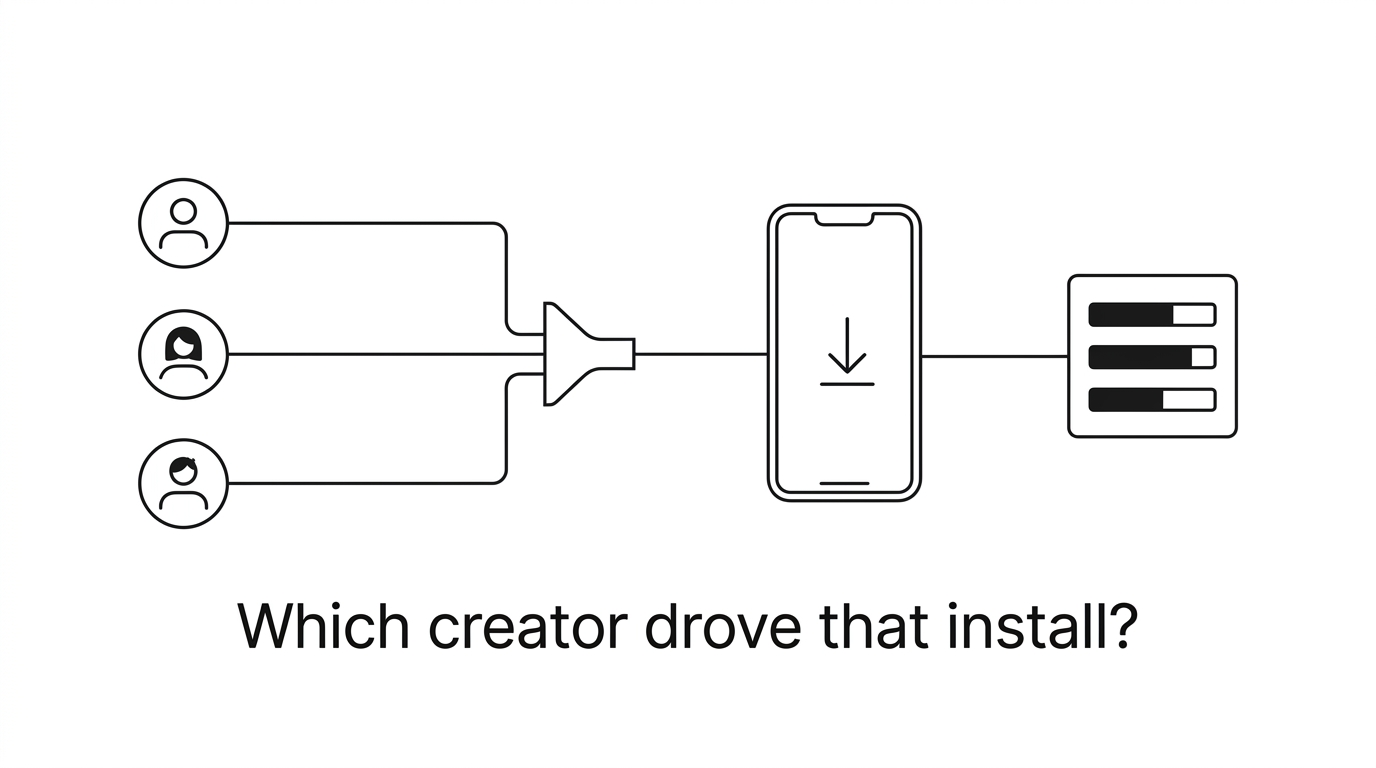
You’re paying creators to make TikToks and YouTube shorts about your app. Some of them are great. But when someone on your team asks “is the UGC working?” the honest answer is usually a shrug and a vague gesture toward an install graph that went up a bit during the campaign.
That’s not really anyone’s fault. UGC lives on social platforms. Installs happen in app stores. The two are completely disconnected. A creator posts a video, someone watches it, taps the link in bio, bounces through the App Store, installs, and by the time they open your app, all context about where they came from is gone.
So you end up measuring UGC the way most people do: total views, total installs that week, and a gut feeling about whether it was worth the money. That’s not measurement. That’s vibes.
According to Statista’s 2025 Creator Economy Report, brands spent an estimated $32 billion on UGC and creator content globally last year. Yet a 2025 Aspire survey found that only 28% of marketing teams could confidently attribute app installs to specific pieces of creator content. That means roughly $23 billion in creator spend is measured with some combination of aggregate dashboards and gut feelings. The gap between what’s being spent and what’s being measured is staggering.
Why does measuring UGC in aggregate lead to bad decisions?
Here’s what I’ve seen. A brand runs a campaign with 8 different creators. 2 weeks later, installs are up 40%. People get excited. The “campaign was a success.” But which specific creators delivered those new installs? What if… Creator A gets 500k views on TikTok and delivers 30 installs. But Creator B (12k views on some smaller YouTube channel) somehow drives 200 installs, and a bunch of those users complete onboarding and become paying customers. If you’re only looking at the 500k views, it looks like Creator A was the big winner. But in reality, Creator B was 10x more valuable and nobody knows. Without creator-level attribution, you make bad, predictable decisions. You renew the popular creator because they had so many views. You ignore the YouTube creator because they had so few views. The next campaign costs more and converts worse. Eventually someone concludes that “UGC doesn’t really work for us”… when the problem was never the UGC at all. The problem was the measurement. This is a pattern I’ve seen play out enough times that I think it’s the default pattern if you don’t have attribution. Here’s some corroborating evidence: according to Influencer Marketing Hub’s 2025 Benchmark Report, teams that track performance on a per-creator basis report 3.2x higher ROI from their creator programs compared to teams that only track at the aggregated level. Same channel, radically different results, simply because one team has attribution to guide their decisions and the other is making it up as they go.
How does per-creator tracking work?
All that’s needed is a simple solution: Provide each creator with a unique link. Anyone who clicks on that link and downloads your app is then linked to that creator. Simple! Here’s how it works: 1. Creator receives a unique link, for example, “yourapp.appfiliate.io/hdwud1” 2. The creator adds the link to their TikTok bio, YouTube video description, etc. 3. A user views a video and clicks on the link 4. Redirect to the App Store/Google Play and downloads the app 5. The attribution SDK recognizes the app install as coming from the link and links the install back to the creator, Sarah, when the user opens the app for the first time 6. You are now able to see that this month, Sarah drove 47 app installs, 12 paying customers, and $180 in revenue Now you are able to see that Sarah is actually adding value to your business, and you can evaluate that value based on her actual contribution to your revenue, not the number of TikTok followers she has.
What can you actually measure with per-creator attribution?
Now that you have install-level attribution per creator, a ton of formerly unknown metrics become pretty straightforward:
- Which creators drive paying users, not just installs? This is the big one. A creator with 8,000 followers making content specifically about your app’s category will almost always drive better users than a lifestyle influencer with 200K followers who doesn’t really care about your product. You can actually see this now instead of guessing. According to a 2025 Klear study, niche creators with under 25K followers drive trial-to-paid conversion rates roughly 2.4x higher than creators with 100K+ followers, across health, productivity, and education apps. The audience match matters more than the audience size.
- What’s the real ROI of each creator? If you’re paying someone $500/month and they’re driving $2,000 in attributed revenue, that’s a 4x return. If another creator costs $200/month and drives $50 in revenue, you know where to shift budget. Can’t do this math without attribution.
- Which content formats actually convert? Same creator posts a long-form YouTube review and a 30-second TikTok. The YouTube video drives 3x more paying users per view. Now you know what kind of content to ask for next. You’re not running focus groups, you’re reading revenue data.
- When does a creator’s content stop working? YouTube videos keep driving installs for months through search. TikToks spike and die in 48 hours. Per-creator attribution lets you see the tail, which completely changes how you think about the value of different platforms. Tubular Labs’ 2025 content longevity data shows that YouTube review content generates 55% of its lifetime views after the first 30 days, while TikTok content generates less than 10% after the same period. If you’re only measuring the first week, you’re dramatically undervaluing YouTube creators.
- Should you switch to revenue share? If some creators drive 10x the revenue of others, flat fees make no sense. Revenue share means the good creators earn more and the ones who aren’t performing cost you less. But revenue share only works when both sides can see the numbers. Which, again, requires attribution. We go deeper on this in our guide to commission structures.
How does attribution work differently on iOS vs Android?
- Apple killed it. Most people opt out of tracking. IDFA is dead for this use case.
We’ve seen some teams attempt a workaround by utilizing Apple’s Custom Product Pages (CPP): assign a unique CPP link to each creator and have them check in App Store Connect for results. Here’s why that won’t hold up for long: Only 35 CPPs are allowed per app. Depending on the size of your creator network, you’ll hit that number in no time. You’ll only have access to page-level impression data, not impressions per user. There’s no way to attribute revenue back to the users a creator drove. It takes 24 to 48 hours for data to appear in App Store Connect. Creators can’t monitor their performance in real-time. It doesn’t work on Android. Custom Product Pages are great for A/B testing your App Store listing. They’re not an attribution solution. We cover why Custom Product Pages fall short as an affiliate tool in more detail.
How do you set up per-creator tracking for your app?
That’s why we created Appfiliate . The integration is three lines:
Appfiliate.configure(appId: "APP_ID", apiKey: "API_KEY") Appfiliate.trackInstall() Appfiliate.setUserId(Purchases.shared.appUserID)Why does real-time attribution keep creators engaged?
Now, here’s the part about creator attribution that people forget about: it’s not just about your ability to measure performance. It’s about the creator’s journey. If a creator posts a video for you on Monday and, as of Tuesday night, they see in their dashboard that it generated 340 clicks, 28 installs, 6 paid users, and earned $54, they know that video performed well. On Wednesday, they post another video with a similar theme, and as of Friday, they see that it generated 80 installs and earned $140 in revenue. They keep creating. If you don’t have real-time attribution, the same creator posts a video but receives no feedback for 2 weeks and maybe receives a PayPal transfer with no details at some point, so they start promoting a different product that does give them a way to see how their content is performing. Real-time attribution isn’t just a tracking feature. It’s what keeps your most valuable creators promoting your app and not another app. A 2025 CreatorIQ study found that creators with real-time performance dashboards create 67% more content per month for their brand partners than creators that receive delayed or manual reports. The attribution feedback loop isn’t a nicety. It’s the fuel that keeps the program running.
What should you do with 30 days of per-creator data?
After 30 days of per-creator attribution, the choices practically make themselves: - Double down on your top 3 creators. - Better commission rates, early access to features, whatever keeps them posting. - Cut the bottom 20%. - Some creators will drive zero paying users. That's fine, move them to pure revenue share or let them go. - Commission more of what works. - If long-form reviews drive 5x the revenue of short clips, shift your briefs. - Find more creators in the niches that convert. - If a fitness creator drives unusually high-quality users for your health app, go find more fitness creators. - Switch to revenue share. - Once you can show creators exactly how much their audience generates, the conversation gets easy. The whole point is to stop treating creator marketing as a black box. You wouldn't run paid ads without knowing which campaigns convert. Don't run UGC programs that way either. The creators who drive real value deserve to know it, and the ones who don't should cost you accordingly.